ClipNote Special1.6.1
Publisher Description
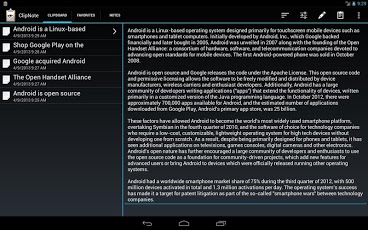
ClipNote Special will no longer be developed - the main version ClipNote is now available for free. Please download it instead. If you already have ClipNote Special installed on your device please first install ClipNote and run it once. It will then import all data from ClipNote Special. Then you can uninstall ClipNote Special.ClipNote automatically saves anything that is copied into the Android clipboard and provides fast access to previous clipboard entries to re-copy them to the clipboard. It also is a full note-taking application and allows to manage clips and notes through a simple and unobtrusive user interface.ClipNote uses a background process to capture any change to the system clipboard. This background process only uses very few resources and almost no battery power. But if it is desired it can be switched off in the app settings (from the menu). If it is disabled the symbol in the notification bar won't be shown.A description of the features and usage can be found on our website or in the app by invoking "Info" from the menu and then pressing the "Help" button.
About ClipNote Special
The company that develops ClipNote Special is esoco GmbH. The latest version released by its developer is 1.6.1. This app was rated by 1 users of our site and has an average rating of 3.0.
To install ClipNote Special on your Android device, just click the green Continue To App button above to start the installation process. The app is listed on our website since 2013-05-16 and was downloaded 19 times. We have already checked if the download link is safe, however for your own protection we recommend that you scan the downloaded app with your antivirus. Your antivirus may detect the ClipNote Special as malware as malware if the download link to de.esoco.android.cnappturbo is broken.
How to install ClipNote Special on your Android device:
- Click on the Continue To App button on our website. This will redirect you to Google Play.
- Once the ClipNote Special is shown in the Google Play listing of your Android device, you can start its download and installation. Tap on the Install button located below the search bar and to the right of the app icon.
- A pop-up window with the permissions required by ClipNote Special will be shown. Click on Accept to continue the process.
- ClipNote Special will be downloaded onto your device, displaying a progress. Once the download completes, the installation will start and you'll get a notification after the installation is finished.
Program Details
System requirements
Download information
Pricing
Version History
version 1.6.1
posted on 2013-05-16
version 1.6.1
posted on 2013-05-16
Several fixes and updates
